How to Leverage Amazon Ads Product Targeting



Amazon released a new feature a few months back which enables users to target Sponsored Ads based on Product and Category. A while back Sponsored Brands (formerly Headline Search Ads) were made available to sellers. With this new feature, the gap between sellers and vendors has reduced.
What does this new feature mean to advertisers?
- With category-based targeting, advertisers can now target a broad range of customers which is great for brand new products which require wide visibility.
- Product-based targeting enables advertisers to go after their competitors' products and try to win a share
- With this release, Amazon is introducing two new features
- Manual targeting by product & categories
- New automatic targeting campaign management controls
Manual targeting by product
Product targeting allows you to choose specific products, categories and brands that are similar to the product in your ad. Use this strategy to help shoppers find your product when browsing detail pages and categories, or when searching products on Amazon.
For example, if the product in your ad is a Nike Flex shoe for women, you can choose to target the category “women’s running shoes” for all search results and detail pages relevant to this category. You can also choose to target “Adidas” because it’s a brand similar to Nike.
Getting started with product targeting
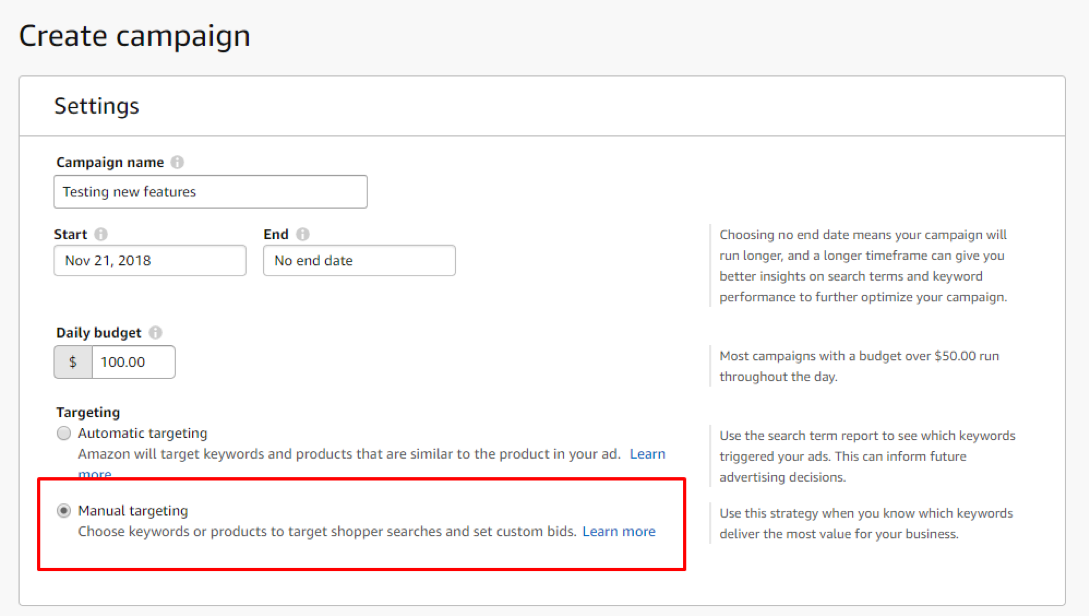
Category Product Targeting
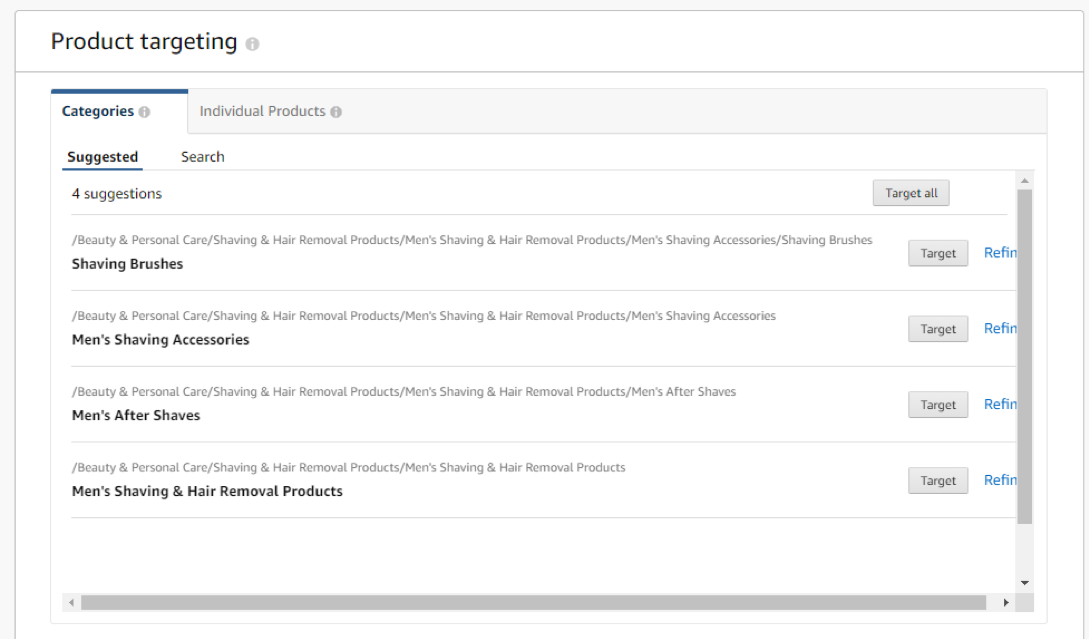
Individual Product Targeting
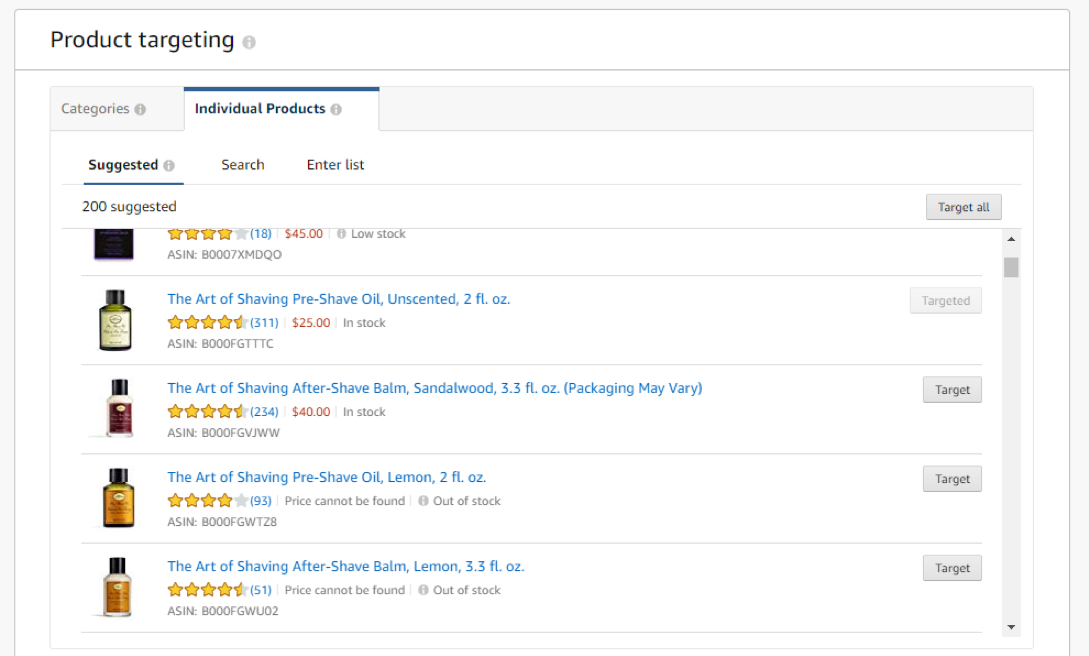
Negative Product Targeting: (Exclude by Brand or by Product)
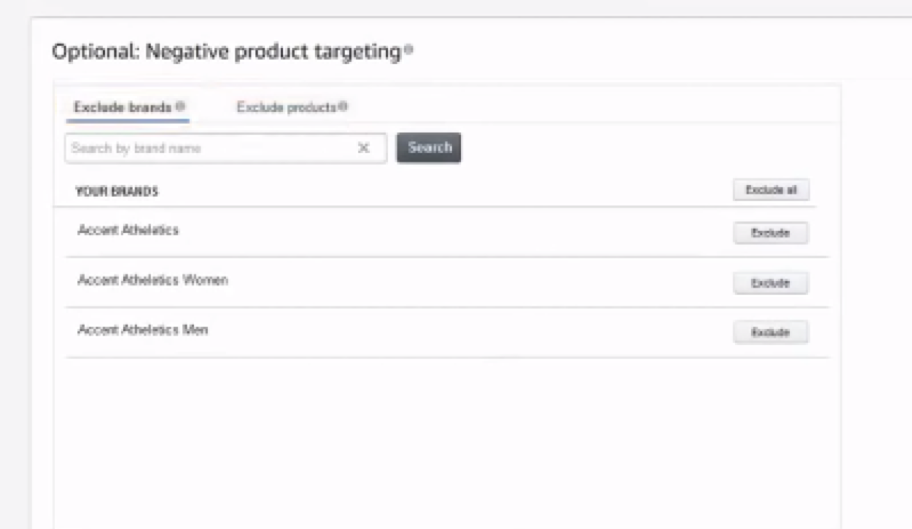
New Auto-Targeting Campaign Controls
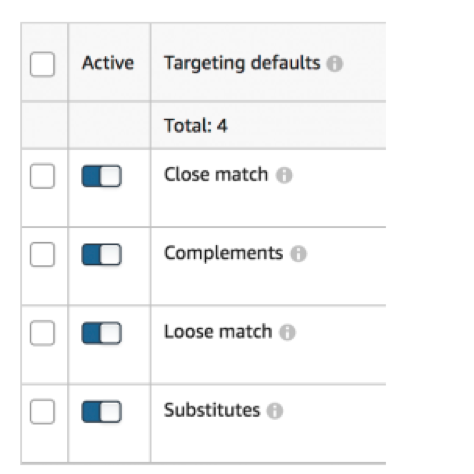
Targeting defaults
Keyword Based Targeting defaults
- Close Match: Show your ads to shoppers who use search terms closely related to your products
- Loose Match: Show your ads to shoppers who use search terms loosely related to your products
Product Based Targeting defaults
- Substitutes: Show your ad to shoppers who view the details page of the product that is similar to your product
- Compliment: Show your ad to shoppers who view the details page of the product that complements your product
Hope this brings more clarity to you for your business. You can also read how Ray drove his product sales up by 50% with Intentwise's help.
Read our post "Search-Terms Now Available for Product Targeting Campaigns" to optimize your Amazon Advertising.