AMS Notifications



When you sign-in to AMS, you will occasionally see notification banner messages at the top of the screen. These notifications are how Amazon will notify you about key information they want you to see right away, such as running out of budgets.
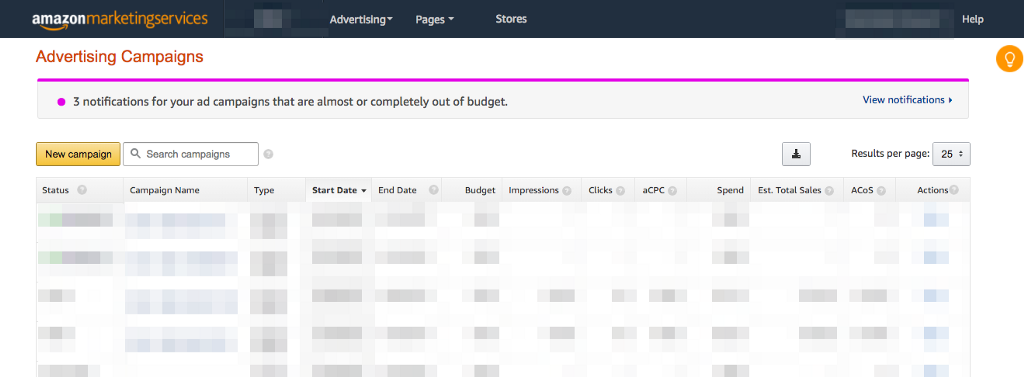
View Notifications
This is a great way for Amazon to notify users and offer options to take immediate action. In this example, clicking “View notifications” will show all the campaigns that are running out of budget. Amazon AMS will also include suggested budget recommendations for those campaigns.
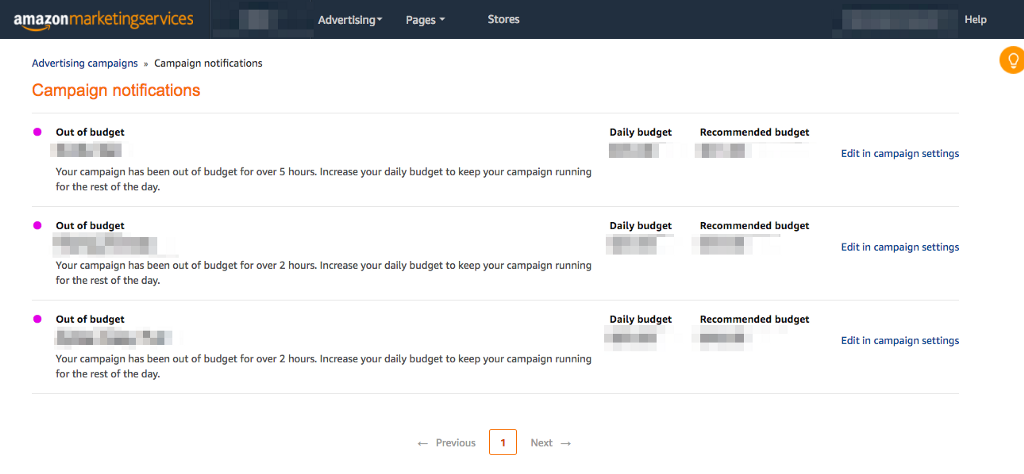
Budget Recommendations
By clicking on each of the “edit in campaign settings” you should be able to jump directly to that campaign so that you can adjust its budget. Clicking the “Apply” button will apply the recommended budget amount for that campaign.
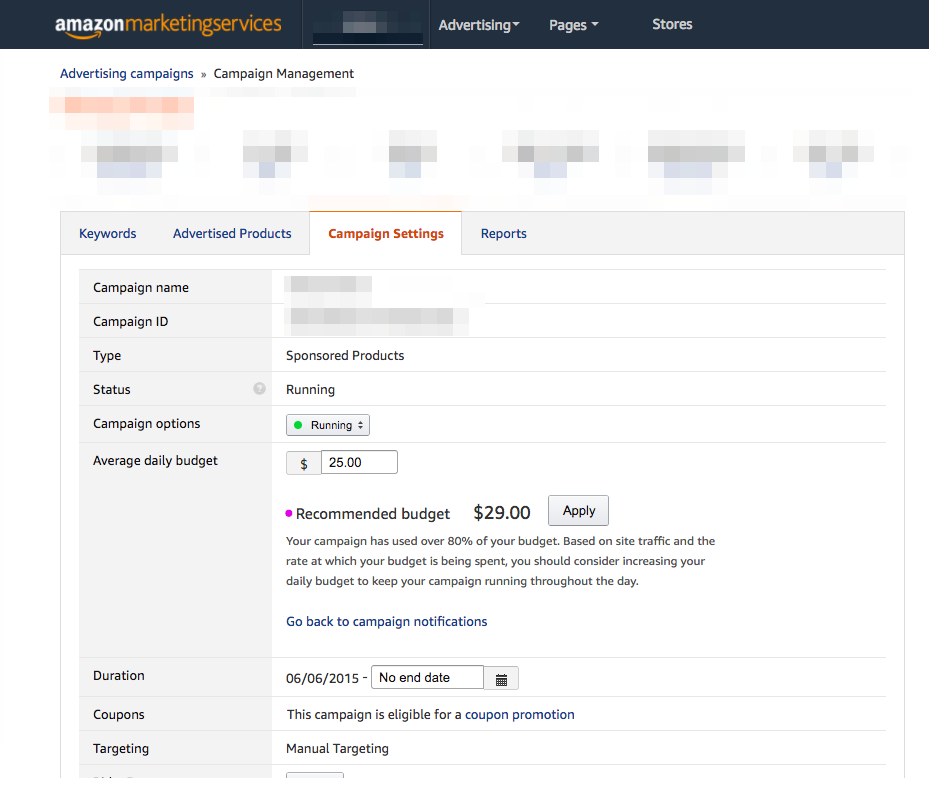
Paying attention to these notifications, and acting when appropriate, is a great way to stay on top of things. And never run out of budget.
Read our post "AMS Report Enhancement" for updates on a new UI enhancement in AMS Reports that allows users to download segmented campaign level aggregate data for the past 60 days.